
Explore eleven Halloween games this autumn: a word search with printable answers, Moonlight Garden, Lantern Studio, spot-the-difference pictures, spooky memory matching, dot-to-dot pictures, a sliding puzzle, a rope-cutting puzzle, a trick-or-treat sequencing activity, two autumn reading stories and three jigsaw pictures. Every one runs in a browser with no signup, download or in-app purchases. They use friendly seasonal characters and imagery, without jump scares. Moonlight Garden includes a friendly skeleton gardener and gravestones, so preview it with the learner if those images are unwelcome.
What counts as a Halloween game here
The collection includes seasonal picture puzzles, a lantern-making activity and a woodland adventure. Snip! is a moonlit monster puzzle rather than a Halloween reskin. Each entry explains its actual setting, controls and session fit.
Both points apply to all eleven:
- Free with no signup. Nothing on Fun Games Now sits behind a login or a paywall, so a link can be handed to a family or dropped into a lesson plan and it will simply open and play.
- Touch controls. Picture puzzles use taps or drags. Moonlight Garden supports tap-to-walk as well as a movement stick; Snip! uses taps and swipes. A keyboard is optional, but the input demands differ, so try the controls before choosing a game for a learner.
Choose by what the player wants to do
The choices ask for different actions; they are not compulsory levels or age recommendations.
- Find written words: Halloween Word Search starts with six words in an 8-by-8 grid. Choose larger grids and more directions if wanted. The same puzzle can be printed with a separate answer sheet.
- Compare pictures: Spot the Difference asks for five changes in each picture pair. It offers clues and a one-picture view for small screens, with no timer.
- Make something: Lantern Lab lets the player choose a pumpkin face, colour and glow. There is no right arrangement to find.
- Follow numbers or match pictures: try the Halloween drawing trail or Spooky Memory. Reading a list of words is not required for either activity.
Choose the actual input, imagery and sound that suit this visit. A game can be tried, stopped or changed without completing it.
1. Halloween Word Search: play or print the same puzzle
What it is. A letter hunt with BAT, GHOST, PUMPKIN, WITCH, BROOM and MOON in its first direction level. The larger boards add SPIDER, COBWEB, MUMMY and MASK. These are written words, so this asks for different reading and scanning than a picture-matching game.
How to play. Tap a word's first letter and then its last, or drag between the ends. Either end can come first. For keyboard play, Tab to the grid, move with arrows, then choose each end with Enter or Space. Escape cancels a selection. Found words stay marked across the grid and crossed off the list.
Choose Across & down for six words in an 8-by-8 grid, Add diagonals for eight words in a 10-by-10 grid, or All directions for ten words in a 12-by-12 grid, including backwards and upward words. There is no countdown or wrong-answer penalty. Show a starting letter names a remaining word and its starting row and column; the player still finds its other end.
Take it to paper. Choose Download puzzle + answers (PDF) inside the game. Page one is the exact current puzzle and word list; page two marks every answer. Print page one separately if the answers should stay with an adult. A link in the PDF returns to that same puzzle online. Download a sample Halloween puzzle and answers, or play that sample grid.
Come back later. Found words save in this browser when storage is available. New puzzle asks before replacing an unfinished hunt. Each direction level keeps its own puzzle, and completion earns its Halloween sticker in the shared sticker book. Saves do not move between devices and clearing site data removes local progress.
2. Spot the Difference: pumpkins and lanterns
What it is. Six Halloween picture pairs, including pumpkins, lanterns and autumn scenes. Each pair has five authored changes.
How to play. Compare Picture A with Picture B and tap a change in either one. A found change is marked in both pictures. Wrong choices keep your progress, and there is no timer or limit on attempts. On a small screen, choose Focus one picture and switch between A and B. Show a clue outlines a change without finding it for you.
The keyboard search areas use Tab, arrow keys and Enter or Space. The game remembers your selected scene and found changes on this browser and device when browser storage is available. Finish a scene to earn its own picture sticker, then choose another scene or come back to an unfinished puzzle later.
Play Halloween Spot the Difference
3. Memory Match, Spooky deck
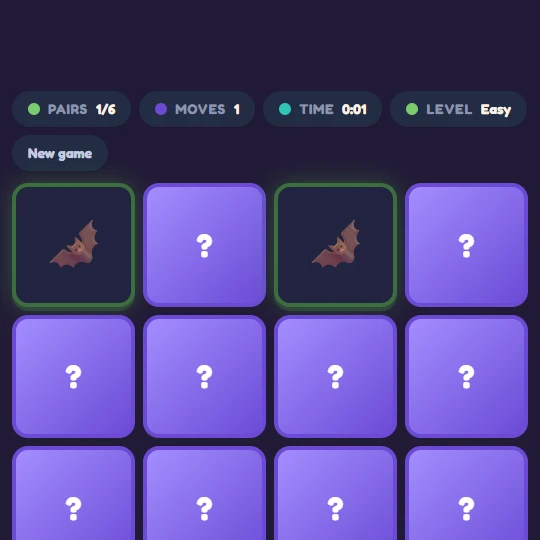
What it is. A flip-and-match pairs game with a Halloween picture deck. This is the closest thing on the site to a straightforward Halloween memory game or matching game.
How to play. Choose a difficulty and a deck, then flip two cards at a time and find the pairs. Three difficulties are built in: Easy is 6 pairs, Medium is 8 pairs and Hard is 12 pairs. Year-round decks, including Classic emoji and Dinosaurs, sit alongside Spooky, so the same game can be run seasonally in October and then switched straight back.
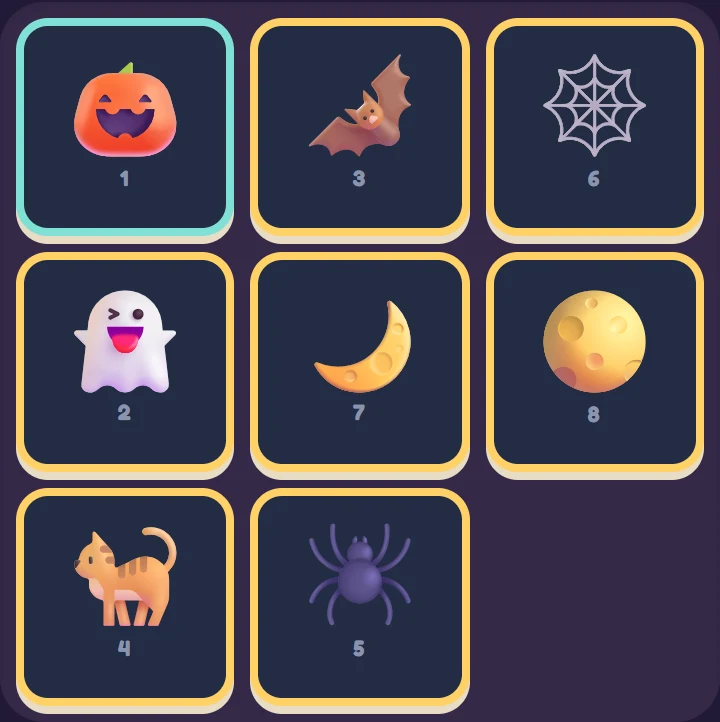
The Spooky deck holds fourteen pictures: pumpkin, ghost, bat, cat, spider, spider web, moon, star, owl, candle, candy, lollipop, wizard and autumn leaf. Each round deals a fresh selection from that pool, so a child can play Easy several times without seeing the same six pairs. Every spooky card carries a written name behind the scenes, so a screen reader announces "Pumpkin" or "Bat" rather than the platform's own emoji name.
Why it suits Halloween. The pictures are the season and nothing else changes. There is no countdown, no lives and no sound at all: the game tracks moves and elapsed time and keeps a best record for each deck and difficulty, but nothing ever runs out. A child who is already a bit wound up by the time of year is not being asked to hurry.
Clearing a spooky round earns a sticker in the shared sticker book: Pumpkin Pal for Easy, Ghost Friend for Medium and Moonlight Matcher for Hard.
4. Halloween Drawing Trail: eight pictures to build and keep
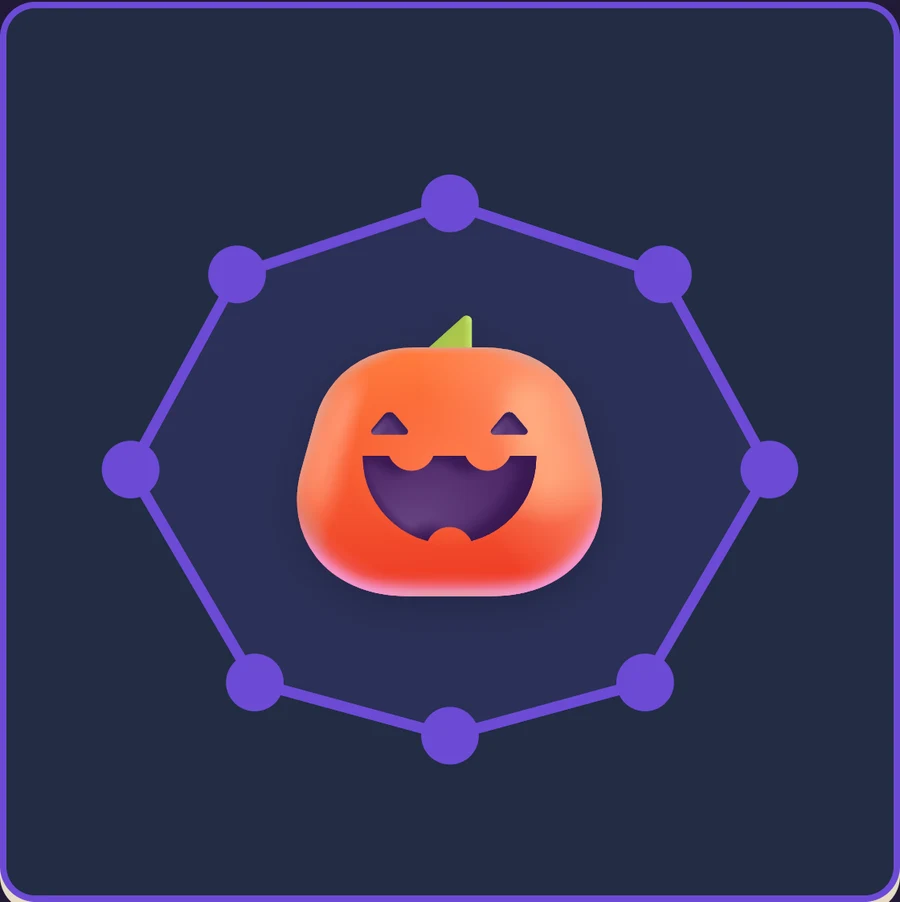
What it is. Eight multi-trail drawings: pumpkin lantern, friendly ghost, bat, witch’s hat, cauldron, midnight lantern, cat and wrapped sweet. Full pictures contain 22–34 dots across four to six trails. The outline is the start; subsequent trails add faces and other details.
How to play. Choose any picture and tap its numbered dots in order. Completed parts stay on the board as the next trail appears. A wrong selection keeps progress and reminds the player of the next number. There is no timer, loss of lives or forced picture order.
Use Outline only for a shorter task, then Add the details to continue the same picture. Choose counting in ones, twos or fives, and turn the next-dot highlight on or off. These choices are inside the game; the Halloween collection does not depend on the grown-up key-stage setting.
Keep and return. Progress and colour choices save on this browser when local storage is available. Finish every trail in a full drawing to earn its individual sticker. Recolour the actual drawing and download a PNG, or choose another picture. Outline-only practice does not grant the full-drawing sticker. No account is required; browser storage is separate from a downloaded picture.
Play the Halloween drawing trail
5. Slide Puzzle, Spooky theme
What it is. The classic sliding tile puzzle - one empty space, tiles that shuffle back into order - with a Halloween picture set.
How to play. Tap a tile next to the gap to slide it in, and keep going until the pictures are back in their starting order. Three board sizes are available: 3x3, 4x4 and 5x5. Four picture themes sit in the dropdown, and the Spooky one carries twenty-four images: pumpkins, ghosts, bats, a black cat, a spider and web, moons and stars, an owl, a candle, sweets, a wizard, a wand, a broomstick, a crystal ball and autumn leaves. Twenty-four is exactly enough to fill the largest board, so a 5x5 spooky puzzle shows a picture on every tile rather than falling back to numbers.
Why it suits Halloween. The 3x3 board has fewer tiles to arrange than the 5x5 board. Choose a size that suits the player; completion time varies. The game counts moves and time and stores a personal best for each theme and size, so the challenge is against the child's own last attempt rather than against anyone else.
Solving a spooky board earns Pumpkin Solver (3x3), Ghost Master (4x4) or Midnight Champion (5x5).
6. Snip! - a friendly monster on a moonlit night
What it is. A rope-cutting physics puzzle across 112 levels in seven packs. It was not built as a Halloween game and is not one, but it is set at night and it has a monster in it, which makes it the closest fit on the site for the last week of October.
How to play. Swipe across a rope to cut it. The wrapped sweet swings, falls or flies, and the job is to land it in the mouth of the monster waiting somewhere on the screen. Stars along the way are worth catching, and floating bubbles can be tapped to pop them and release the sweet mid-flight. Levels unlock as they are cleared and progress is saved, so a child can leave and come back to it.
Why it suits Halloween. The scenery is doing the work. The background is a night sky with an aurora, a moon with craters and a halo, a starfield and dark hills of pines, with fireflies drifting across it, and a slow quiet lullaby plays underneath with a mute button if it is not wanted. The monster is a round green creature with small horns, blinking eyes that follow the sweet, and a wide open mouth it is entirely delighted to have sweets dropped into. Monsters, sweets and a dark sky is as Halloween as this one gets - there are no pumpkins, ghosts or costumes in it.
Stars caught add up across every session and earn stickers at 1, 10, 25, 60 and 120.
7. My Day: put Halloween night in order
What it is. A time-sequencing game where a child puts the events of a day into order, earliest first. Trick or Treat is one of nine routines. Choose three, four or six events to put in order.
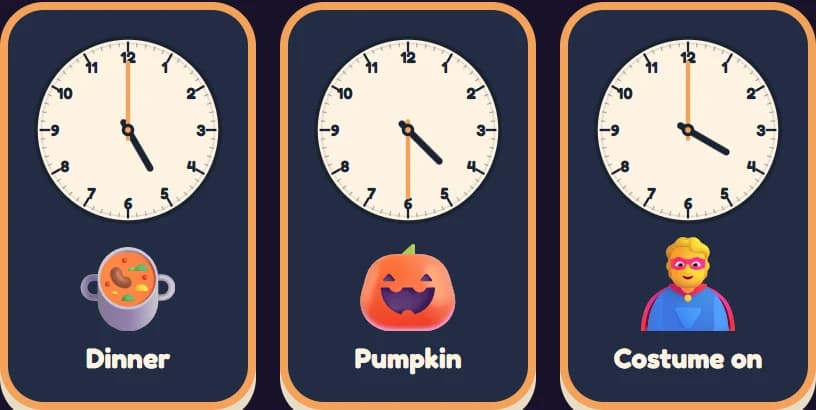
How to play. Pick the Trick or Treat scene and the six events arrive shuffled in a tray: costume on at 4 o'clock, pumpkin at half past 4, dinner at 5, trick or treat at 6, share sweets at 7 and bed at 8. Tap them into the timeline in order. A correct tap snaps the card into place; a wrong tap gives a small red shake and nothing else - no penalty, no score, no timer. Every card shows a clock face with numbers alongside the picture, so putting the evening in order doubles as reading o'clock and half past.
Choose three, four or six cards in My Day before starting the routine. The site-wide working level supplies the initial choice when no card count is saved. Three cards make a shorter sequence; six include more events.
Why it suits Halloween. The Trick or Treat routine can be a prompt for talking through one possible evening. Ask the learner what matches their own plans and what needs changing. A game cannot predict a family’s evening or guarantee less anxiety; use it only if the learner finds it useful.
Finishing the scene awards the Trick or Treat sticker.
Two more seasonal choices
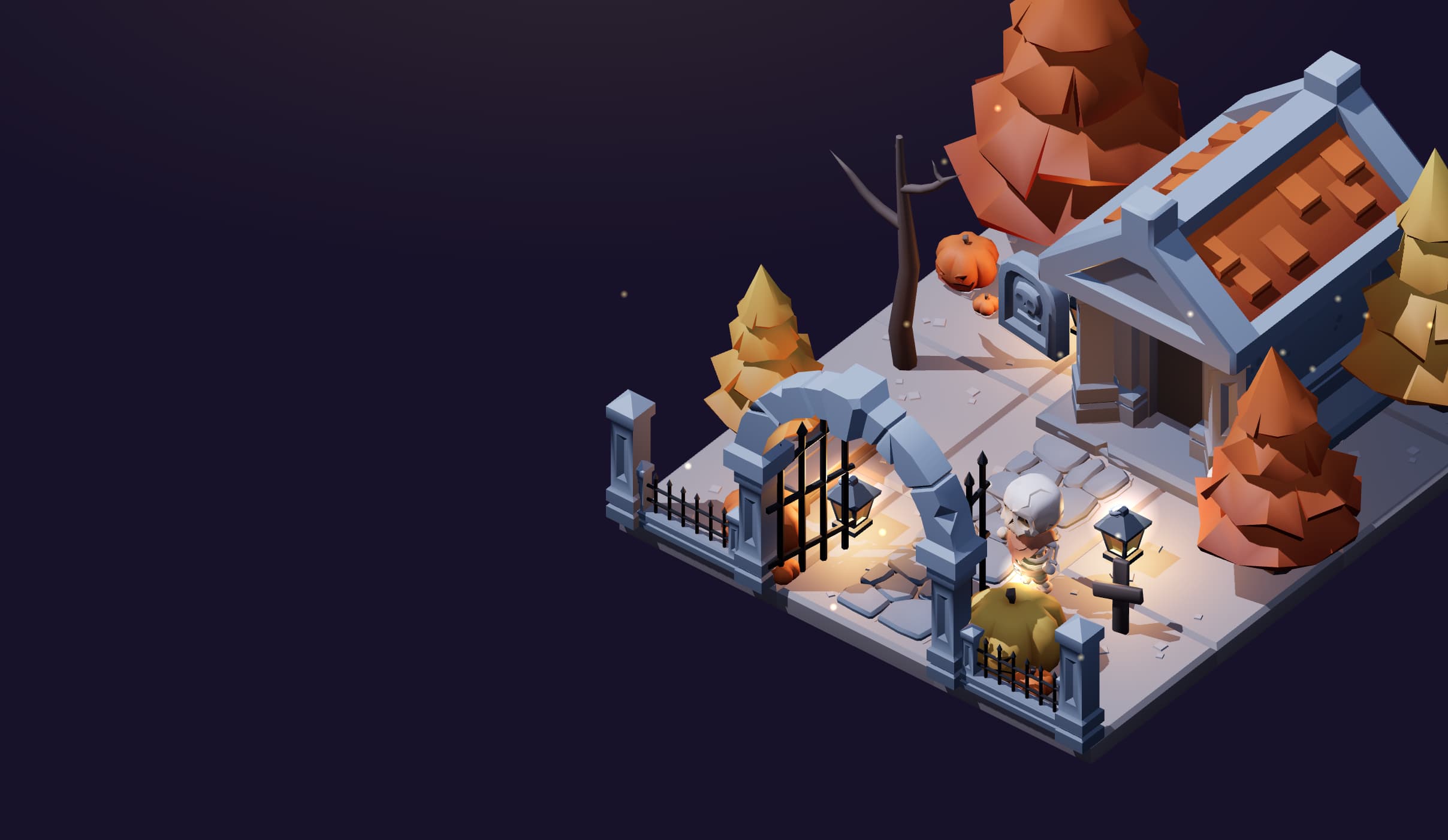
8. Moonlight Garden: Light the Night. Play Robin, a friendly skeleton garden keeper, and help eighteen firefly friends across nine gardens. Walk with touch, tap-to-walk or keyboard; interact with environmental activities and restore each garden's lantern. Nine optional keepsakes award stickers. There is no timer, and progress is saved. Choose this for an ongoing adventure rather than a quick matching round; preview its skeleton and graveyard imagery first.
9. Lantern Studio. Choose a pumpkin face and colour, then light your lantern and download the picture. Creative play has no wrong answer or countdown; touch, mouse and keyboard controls are supported. It suits a short making activity with an adult who wants to talk about colours, faces and choices.
See all eleven choices in the Halloween games collection.
10. Halloween Reading Room: follow the lantern path
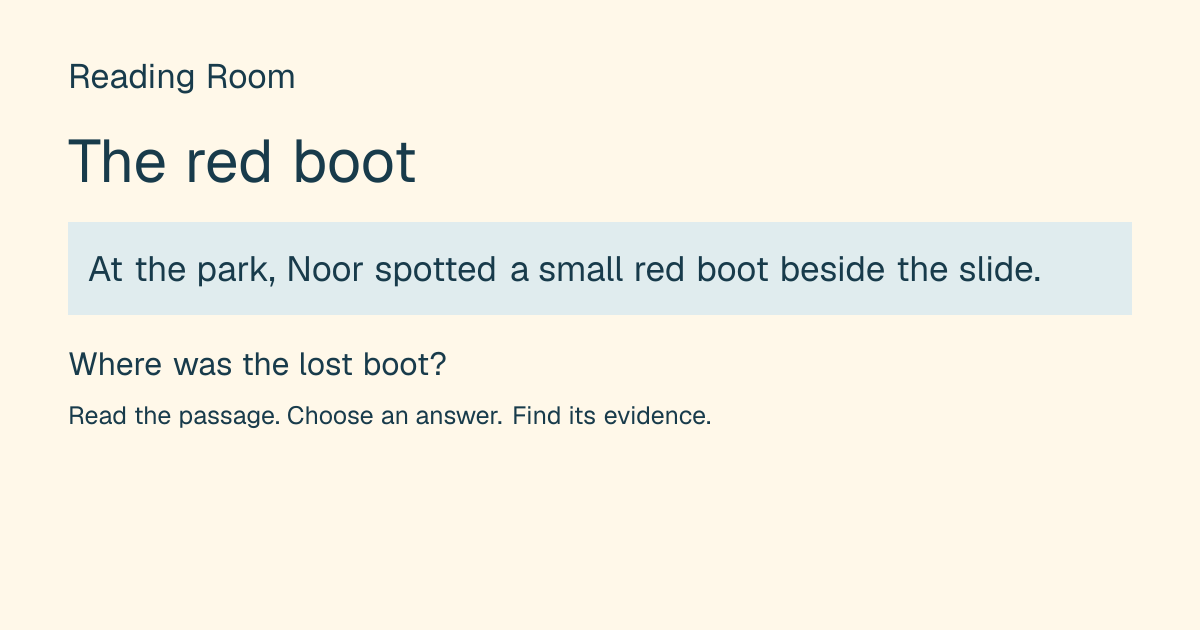
Read two autumn stories, including the lantern-path story. Answer questions, then find the sentences that support an answer. There is no timer. Questions and story progress save in this browser; finishing a story earns its sticker.
This is a reading and comprehension activity, so choose it with the learner’s reading access and interests in mind. You can read together and discuss the evidence in the story without rushing.
11. Halloween Jigsaw Puzzles: rebuild an autumn scene
Choose a pumpkin courtyard, autumn picnic or lantern trail, with six, twelve or twenty-four interlocking pieces. Drag a piece, or tap to select and place it. Each picture and piece count keeps its own saved board in this browser.
Start with six pieces to learn the controls, then choose a larger puzzle when wanted. There is no need to finish every board in one sitting.
When Halloween is the problem, not the game
Not every child enjoys this time of year. For a child who is sensory-sensitive, anxious, or simply attached to a routine, late October is a run of unpredictable evenings: costumes that feel wrong on the skin, a doorbell going repeatedly, decorations appearing in familiar rooms, strangers at the door in masks, and a school day full of noise about all of it. A seasonal game is only a good idea if the child is enjoying the season.
Some practical ways to use these games without adding to the load:
- Play the season before it arrives. A pumpkin dot-to-dot in the middle of October, with no doorbell involved, lets a child meet the imagery at a volume they control. A quiet screen activity may be one way to explore the imagery, if the learner wants to. It is not a required preparation step.
- Rehearse the evening rather than describing it. The Trick or Treat scene in My Day puts the sequence in the child's hands. Discuss the learner’s actual plans rather than treating the game’s order as a promise. Some learners may enjoy this rehearsal; others may prefer to skip it.
- Turn the volume down, literally. Memory Match, Connect the Dots and Slide Puzzle make no sound at all. My Day has a sound switch that starts off. Snip! plays music and has a mute button. The grown-up controls behind the cog button also carry a "Calm mode (reduce motion)" toggle, a high-contrast toggle and a sound-effects switch, and those apply across the site.
- Have an exit that is not a telling-off. If the game stops being fun, having somewhere else to go matters more than finishing the round. The calm tools are the obvious next stop: Breathing Buddy paces a breath with a growing and shrinking circle and offers Box (4·4·4·4), 4·7·8 Relax and a shorter Kid-size (3·3·3·0) pattern; the Feelings check is a gentle "how are you today?" picker; and the Comm Board is an AAC-style picture grid where tapping symbols builds a sentence the browser then speaks aloud, with Space to speak, Backspace to undo and Escape to clear.
- Let the child skip the season entirely. Several picture games also offer year-round choices: Memory Match has Classic and Dinosaur decks, Slide Puzzle has Animals, Fruit and Sports, Connect the Dots has year-round pictures, and My Day includes everyday routines. Nothing is lost by staying with those.
None of the calm tools have been given a Halloween coat of paint, and that is deliberate. A breathing pacer with a pumpkin on it is not a calmer breathing pacer.
Frequently asked questions
Are these Halloween games free to play online?
Yes. All eleven run in a browser with no signup, no download and no in-app purchases. Controls differ between games and devices. Check each game’s instructions and preview it on the device you plan to use.
Is there a Halloween memory game?
Yes. Memory Match has a Spooky deck of fourteen pictures - pumpkin, ghost, bat, cat, spider, web, moon, star, owl, candle, sweets, lollipop, wizard and autumn leaf - playable at 6, 8 or 12 pairs. It sits alongside the Classic and Dinosaur decks rather than replacing them.
Are the games scary?
The games aim for friendly seasonal play without jump scares. Moonlight Garden includes a skeleton gardener and gravestones, and Snip! includes a friendly monster. Preview those images if a learner dislikes them. Memory Match, Connect the Dots and Slide Puzzle are silent; check sound settings in the other games before starting.
Which one suits the youngest children?
Outline-only practice in the Halloween drawing trail and Easy (6 pairs) in Memory Match. The pumpkin outline has 16 dots, and its full drawing has 34; Easy memory uses six pairs. Neither has a countdown, but each asks for different choices. Preview both rather than assuming one suits an age group.
Can these be used in a speech and language or tutoring session over a screen share?
Yes, and the silence helps. Memory Match, Connect the Dots and Slide Puzzle produce no audio at all, which means nothing competing with the adult's voice on a video call. The spooky sets are also usefully nameable: fourteen labelled Halloween pictures in Memory Match and twenty-four in Slide Puzzle give plenty to name, describe, categorise and compare while the child plays.
How do I change the difficulty level?
Memory Match and Slide Puzzle have their own on-screen choices: difficulty and deck, or board size and theme. The seasonal Drawing Trail has its own Outline only / Add the details, counting and next-dot controls. Year-round Connect the Dots can use the site-wide working level. My Day lets you choose three, four or six cards in the game; the working level supplies a starting choice when no card count is saved.
Keep a little lantern adventure for another visit
Choose three different stops for a return visit:
- Finish an Easy board in Spooky Memory.
- Make and light a creation in Lantern Studio.
- Help the courtyard friends and restore the first lantern in Moonlight Garden.
Open the sticker book to see rewards earned by the games. The garden saves its story separately. Use the same browser to resume saved games; clearing browser data can remove local progress. You can choose a different activity at any time.
For winter, the Christmas games collection includes festive word search and printable answers, Parcel Workshop maths, six spot-the-difference scenes, Snow Globe Studio, Penguin Slope, Christmas memory pictures, twelve drawing pictures, reading stories and jigsaw puzzles. Follow the collection’s game links to choose a winter activity.
Start playing
Eleven games, free, in a browser, with nothing to install and nobody to sign up as. Start with the spooky memory game if you want the most straightforward one, the Halloween dot to dot if the child is younger, and the Trick or Treat scene in My Day if the night itself is going to be the hard part. For an older child who wants something to chew on, the 5x5 board in the Slide Puzzle and the later packs of Snip! will both take a while.
Non-seasonal choices remain available in the arcade and learning games. The optional seasonal theme can be switched off; choose the activities and sound settings that suit your session.
Fearn Robinson is a UK SEND tutor with Qualified Teacher Status (QTS) who builds the calm, low-arousal learning games on Fun Games Now for children with special educational needs.
